This is my own personal Apple MacBook Air M3, and I've been using it quite a lot, so what's it like?
2025/8/26
Written by: Jay Kay
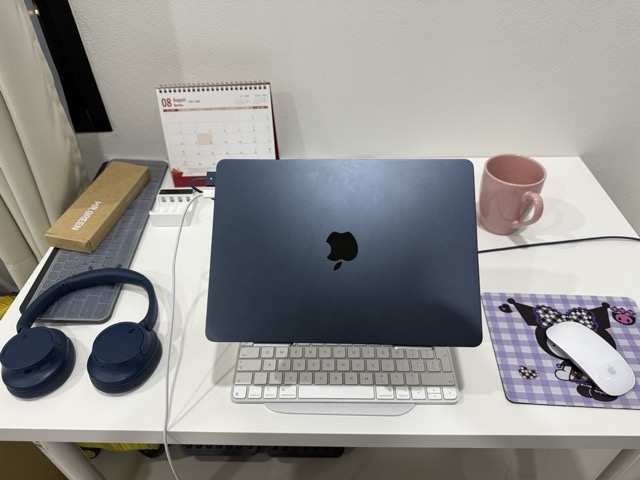
Few laptops (if any) have ever given me the “wow factor”, however 2024 changed all of that, with two machines in particular catching my eye:
Samsung’s Galaxy book Ultra
Apple’s MacBook Air M3
After much research, I opted for the Apple MacBook Air M3. I have to admit that my admiration of the MacBook Air predates 2024. It goes back to when the very first MacBook Air launched. I always felt it was a cool looking, portable device, but always felt that it never had enough horse power to do what I needed, and so was stuck with my brick of a Apple MacBook Pro.
Fast forward to the 2024 Apple MacBook M3 Air, and how things have changed! The little “entry level” MacBook has grown up quite a lot since the first version, and it’s packed on quite a bit of muscle too, while ironically looking slimmer and getting lighter.
There are various choices to Apple MacBooks these days, and my weapon of choice was a 512GB SSD, 24GB RAM machine, with the highest cores available.
The RAM is such a staggering amount, as in all my time of being a developer, 8GB was plenty! In fact I had just migrated from a 8GB core i4 Acer, which seemed to handle what I did as part of my day job enough, allowing that I could make money without being too frustrated with performance issues.
I find it rather amusing how times change, as venturing into the reddit forums, shows quite large debates on whether 32GB, 48GB etc etc will be “enough” memory to last a few years… Its insane to think, that not long ago, even amounts that a server could only dream of, now seems “inadequate” for todays home users. Bare in mind, that no matter how packed out your MacBook is technically, after 8 years Apple will no longer support it anyway.
Of course to me, these debates smack of people being “overly cautious”, possibly even “anxious”, because truth be told, 16GB would be enough for the next decade (for any MacBook Air user). I myself only opted for the 24GB model, because it was given a generous discount during a sale.
I’d say I hit this machine pretty hard, typically working 12 hour days. In the old days, I would’ve definitely been classed as a MacBook Pro user. Notwithstanding, here is what a typical day looks like for me:
At the very least I will have Visual Studio Code, MySql Workbench, Apple Notes, Apple Pages, and video capture software running (to record those all important meetings). I also have Docker constantly running, though I have yet to use that on this machine, it’s a future todo to move all my applications into it.
With all of these things in mind, and baring in mind that the MacBook Air is fan-less, I can confirm that it has never gotten past being “warm”. I have managed to get it hot once, when processing a large XML file, as part of a loop, where within that loop I was carrying out various REST API calls, and database updates, for a cockide Shopify product import.
Once I spotted this happening, I simply shifted the routine onto the server, and let that take the load. Had I not have been able to do this, then I would’ve placed a fan on the machine to help shift the heat from the internals, and I would’ve limited the loop as well.
So mostly then (99% of the time), this machine hs remained cool. 100% of the time I have experienced 0 throttling, showing me that this is more than capable for the average full stack developer.
I have not had to touch Virtual Machines at any point in my career, however, I have researched the topic. This is where the Apple MacBook Air M3 might fall short, because running multiple operating systems at the same time is something definitely reserved for the “pros”, having the added cooling advantages.
My research shows that, while the Apple MacBook M3 Air is capable of running Virtual Machines, with Windows (or Linux) installed, it will inevitably lead to the machine running hot. When the MacBook Air does become too hot, “Throttling” is then attempted, which means that performance becomes degraded quite substantially.
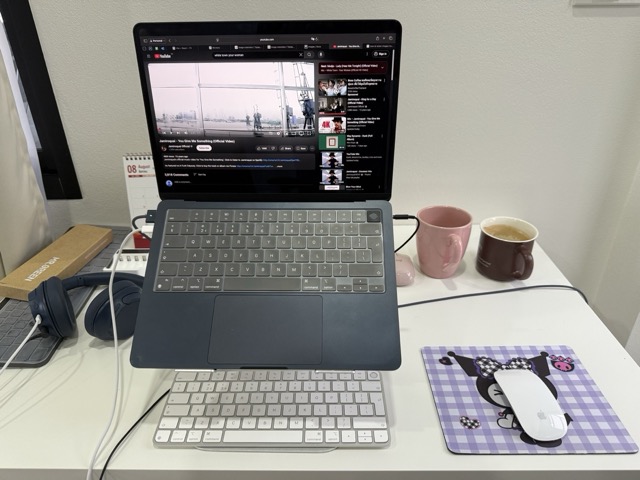
One thing I was not aware of when buying the Apple MacBook Air M3, was that 50% of the machine is made from recycled materials. This stung a little bit, because you’d expect to pay less for a machine made of materials which are not fresh and new! I suppose in reality it doesn’t make a difference, so long as the recycled metals have all been cleaned of blemishes and imperfections. Out of the box it seemed like a brand new Apple product, with the usual “special” little apple touches .
My MacBook Air has been the victim of assault, where a bit over a month ago (from the time of writing), my wife and I had a “disagreement”, resulting in her grabbing the machine, throwing it on the floor severals times, and stamping on it. While this was happening, the machine was stored in its travel sleeve, so it was shielded from some of the violence somewhat, but it still came out with a few scars.
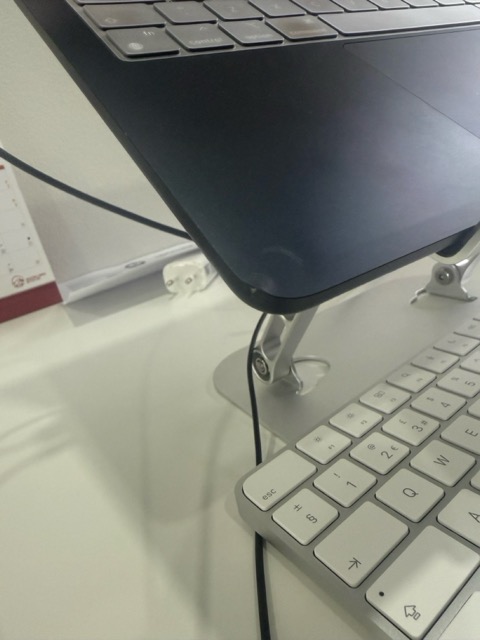
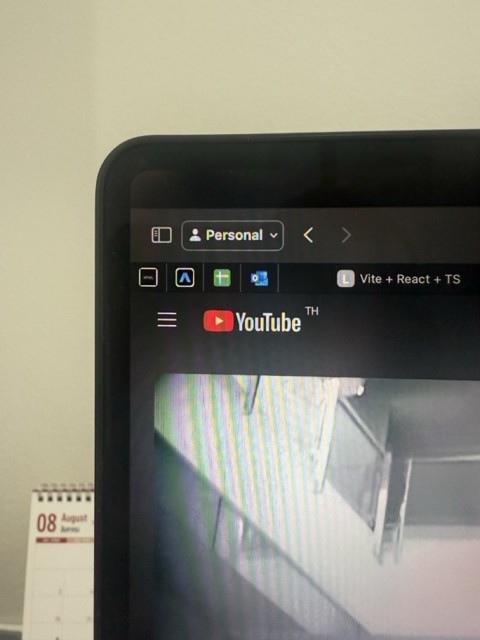
I have been using the machine since then, and it works perfectly. It does have some body chassis alignment damage (see the photos), and the screen in the top left corner is now slightly glitched. But otherwise, the battery is still holding its charge, and everything is still working as before.
I should add that my wife reimbursed me the cost of the machine, so the medium term plan is to hand over this machine to her, while I possibly look at reinvesting in either the Apple MacBook Air M4, or a Apple MacBook Pro M4 pro in silver.
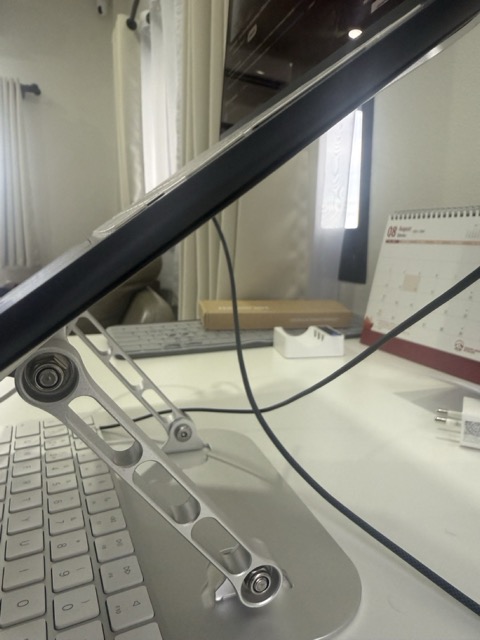
So, though Apple MacBooks aren’t famed for their battle hardened abilities, this machine certainly passed the physical! This should mean that, if you are unlucky enough to have a drop accident, the machine should be ok.
This is entirely down to you. I think that even if I were to do it again, I wouldn’t bother with apple care+. This is because my research suggests that it isn’t as good a service as it used to be. My research suggests, that even if I had apple care+ for this MacBook Air, I would’ve still had to pay almost half the cost of the machine for a new chassis and panel replacement. I believe that in the old days, Apple would’ve replaced old for new, no questions asked, but those days are long gone now apparently!
So it comes down to one simple question: Are you a power user? Though I use my machine 12 hours + a day, it cruises with the task’s I give it. But, research suggests, that if you dabble in 8k video edits, are into rendering 3D graphics (or complex 2D projects), then the pro is for you. But, again, as for which pro, I’d personally suggest looking at the Apple MacBook pro m4 pro with 24GB ram. The Apple MacBook pro M4 pro has far superior memory bandwith compared to the regular Apple MacBook M4 pro.
I personally have not YET undergone 4k projects, but my research suggest that the MacBook Air M3 is quite capable of handling 4k projects, though it might start throttling for larger projects, it should be ok for YouTube content creation.
It’s not good, its bloody excellent! Though on reddit quite a few people buy the Apple MacBook Air M3, only to quickly swap it for a MacBook Pro. I really don’t see the point in doing so, unless you truly need the benefit of cooling, and superior memory bandwidth. Even then, you’d have to make a big jump, as the Apple MacBook Pro M4 doesn’t seem worth it to me, you’d have to go for the Apple MacBook pro M4 pro as a minimum.
In conclusion, I can confirm that I am still very happy with this machine, and would expect a developer to easily get 8 years use out of it.