I've had my Apple Magic touch keyboard six months, how has it fared?
2025/8/29
Written by: Jay Kay
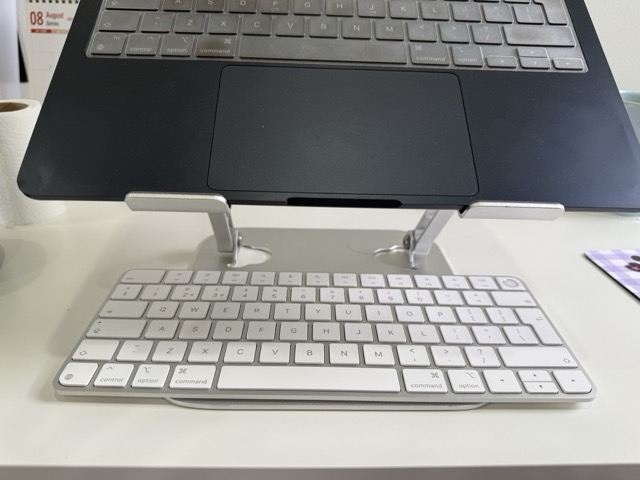
When I bought my Apple Magic Keyboard back in February 2025, I was making pretty good money, and was on a high of how good my Apple MacBook Air M3 was. So I decided to go all in with Apple, even pencilling in the purchase of an Apple Studio Display. To cut a long story short, I lost my job and my freelance work dried up too.
Nearly 7 months later, I felt it was a good time to report back on how the keyboard has fared, and I’ll do that by splitting it down into the Good, The bad and the Ugly.
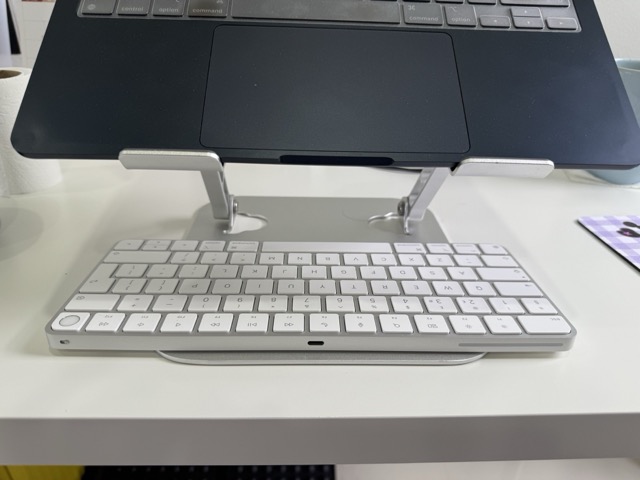
One of the first things I loved about the Apple MacBook Air M3 was the touch ID button. Previously on my 2019 Acer Aspire, the finger print ID didn’t really work well for me, so I tended to login using the traditional password type in. So I was obviously pleased with the MacBook Airs touch button. This was the first deciding factor in my purchase of this keyboard: I wanted the touch ID.
The second factor was that I also enjoy the look and key stroke feel of the MacBook Air keyboard, and my research suggested that the Apple Magic Keyboard was similar. In person, the Apple Magic Keyboard actually has slightly more depth, thus a deeper travel when it comes to typing, but otherwise its close to the MacBook Air, and I do enjoy the feel as I type.
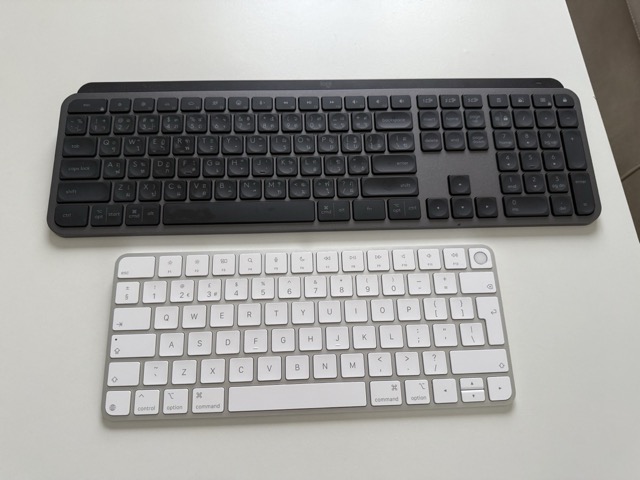
I chose not to have the keyboard with the numeric touch pad, for portability reasons, so opted for the far more portable, and “cheaper” variant, which is a choice I stand by because I do spend my time between the UK and Thailand.
Finally, as with most Apple products, it is a nicely finished attractive piece of kit. The build quality feels good, and in typical apple style it sits well on the desk looking very smart.
The fact of the matter is, Apple isn’t always the best. Granted right now they offer the best ultra portable laptop in the Apple MacBook Air M4, but the Apple Magic Keyboard doesn’t offer the “magic” which can be found in the MacBook Air.
As nice as it is, at the end of the day it is a bog standard keyboard, and worse of all it isn’t even backlit! To compare it with my wifes keyboard (pictured above), which was only £30 and is backlit (with a surprisingly good key stroke too!), it seems a riddle impossible to solve in why this keyboard set me back £150.
The truth is, even now the keyboard is on sale for £75, it is not worth buying. It’s easy to be trapped in the “Apple” dream. Particularly when you visit their stores, or their website. It seems like a reasonable goal to kit out your whole office desk with nowt but Apple products, but if you’re spending £150 for a keyboard here, £2000 for a display there, £1299.99 for an iPhone, you do start to wonder “would I be better spending the money on a holiday”.
Even if you do make £5k a month net, why would you go all in with apple? Right now my desk is in plain view with Apple iPhone 16 pro max, which sits next to the Apple Magic Mouse, which is next to the Apple Magic Keyboard, which sits under my Apple MacBook Pro Air! With the kit I currently have, nobody seems to care, nobody says “oh wow nice desk setup”. At least if you buy a Ferrari people notice.
In conclusion then, the Apple Magic Keyboard with touch ID is a pleasant piece of kit, which should last me at least 5 years in usage, but my advice to you is spend your money on something which is cheaper and probably more feature packed.