I have never seen the apple community so divided, but is it a huge misunderstanding?
2025/8/29
Written by: Jay Kay
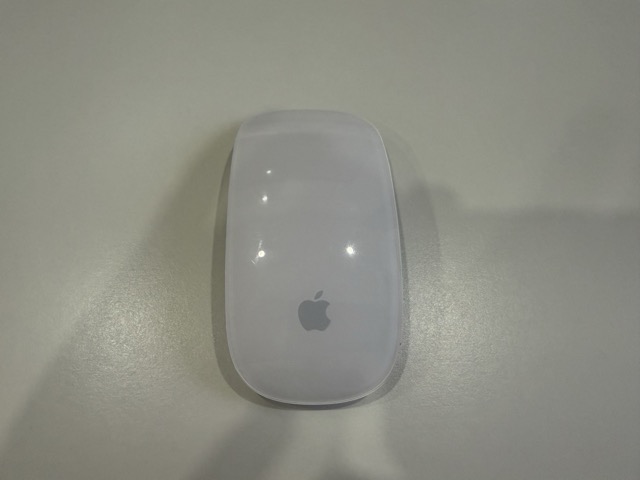
I have been a Mac user on and off since buying (and barely using) my MacBook Pro back in 2011. I also bought my 1st generation Apple Magic Mouse 1 that same year for £26, and just like the MacBook pro I barely used it. That all changed in December 2024 when I bought my second Apple MacBook: the excellent MacBook Air M3.
So pleased was I with the Air that I began creating the “Apple dream team” desktop, where everything HAD TO BE APPLE! Of course that dream was cut short after losing my job, but I did start by buying the Apple Magic Keyboard, and iPhone 16 pro max. Had I not lost my job, I would’ve bought the latest Apple Magic Mouse too, but luckily I didn’t.
Up to this point I’d actually forgotten all about my “old” Apple Magic Mouse1, and happened to come across it by chance, while tidying my childhood bedroom back in England. At first I dismissed the mouse, as a google search showed that it was too old for use with the current MacOS, and redditers claimed that the bluetooth was too old and unreliable. Nevertheless I decided to try and hook it up anyway.
A few things are said about the Magic Mouse 1, both on reddit and on google AI. So I’ll go over them now and debunk them.
“The blue tooth is unreliable due to its age”
I found connecting my Apple Magic Mouse to be flawless. In fact I remember that back in 2011 I did have problems connecting it with my MacBook pro, but this time it connected brilliantly. I should add that it doesn’t always auto connect, but it’s not big deal as it’s just a case of manually connecting it via the BlueTooth section of the MacOs system settings.
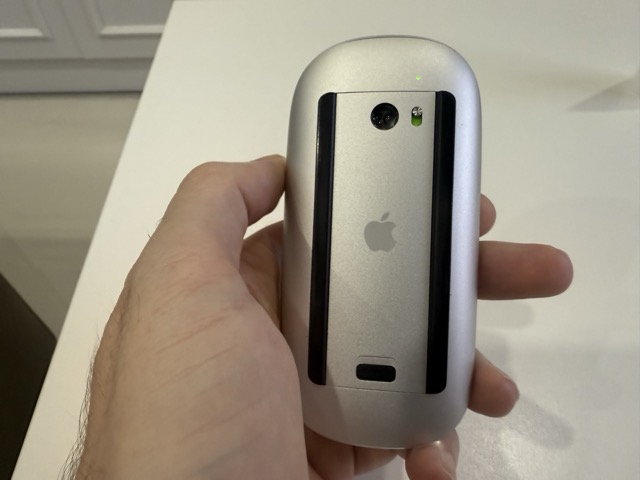
There is a shoddy design issue with the batteries, where if you are too physical when relocating the mouse back to the centre of the mouse mat, the vibrations can dislodge the batteries, causing the mouse to lose power. I learnt over time to be far more gentle with the mouse, and the result of this is that its very rare that the mouse loses power. However I have written a workaround for that here.
“it doesn’t swipe between applications“
The Apple Magic Mouse 1 not only swipes between apps by using two fingers, but it also supports the “smart zoom” feature. This was a google AI response and so can be taken with a pinch of salt, nevertheless it is a false statement which would lead many to buy the latest Apple Magic Mouse, rather than hunting down a second hand Magic Mouse 1.
“touch based scrolling is inaccurate and unreliable”
For my day to day uses, this has never been a problem for me. I find scrolling both accurate and reliable. I think it takes some time to master it, and like with some things in daily life, you have to learn how to handle them. Scrolling has never been a problem, even when my fingers were sticky from sweat.
“It is too small for large hands and causes write strain“
I have hands big enough to hold a professional sized basketball with a single grip, and have never found the Apple Magic Mouse1 as being too small for my hands. Nor do I get wrist strain while using the mouse, and I spend sometimes 12 hours a day using it.
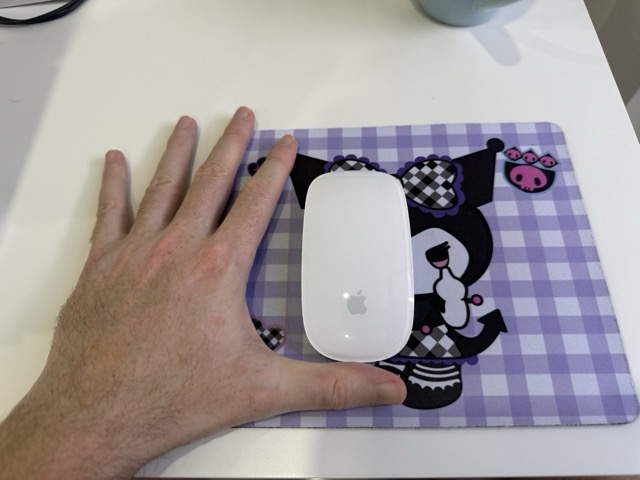
The only reason I can think of that this complaint exists, is possibly from a gaming point of view, but then you can see just by the look of the mouse that it is not designed for gaming. I am a FullStack developer, and the mouse suits me perfectly.
“The mouse clicks are too loud“
I am so wrapped up in solving problems, holding meetings (when I have the freelance work in), or listening to music, that i seriously do not notice the mouse clicks. When I am aware of the mouse, I enjoy the sound of the gentle click, and enjoy the feel of the click too. My previous Windows PC mice were very loud, with loud clicks, and the annoying sound of the mouse wheel!
No not in the slightest! Though I love the mouse, and find it contributes to my work flow, there are several annoyances which are true. Sometimes the mouse does appear to glitch, where for example mission control randomly appears. Although I just discovered that, there is a mission control feature in the mouse which is ticked to true, so obviously that must happen when I double click with two fingers unintentionally.
I mentioned the smart zoom earlier, at first I thought it was an ok feature, but when it came to writing this review, the zoom kept kicking in when I would double click over text to format it, so I have now switched it off. But why have Apple still not implemented pinch zoom? OK maybe the Apple MagicMouse 1 is too old for that, but at least it should be available on the latest Magic Mouse. For me it is a feature which although rarely, when I do need it is a very useful. I have to resort to my MAcBookAir touch pad which disrupts my flow.
When your fingers start getting grippier with sweat, swiping between applications does become troublesome (though scrolling remains fine). It happens if I work without the AC on, so doesn’t happen often. It is annoying when it does happen, but a quick wipe with some moist towels solves the problem. I am not sure there is anything apple can do about this one gripe, but i suppose getting up out of your seat once in a while is good for ones health!
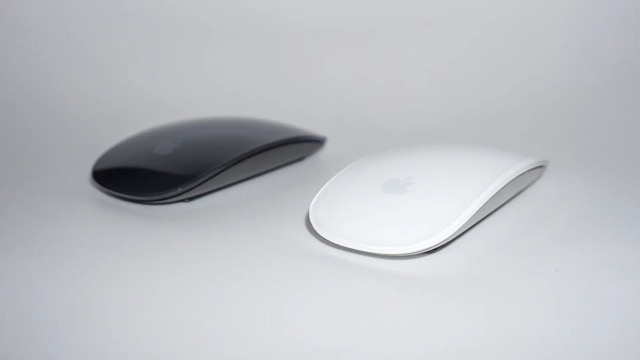
If the 1st generation Apple Magic Mouse 1 is no longer easy to get your hands on, then I personally would IF I were making the money. It’s not cheap at £79, but then I guess people who buy Apple products aren’t exactly poor. But my research suggests that there are no major differences between the 1st generation and current generation Apple Magic Mice.
Also bare in mind that I write this review as a fullstack developer (programmer). I have never tried using the mouse for gaming, so can only say that this is a great mouse from a programming point of view.